How Bazzly works: the 24/7 Reddit growth engine
The mental model behind Bazzly — scanning Reddit, drafting replies, and posting through warmed-up accounts.
Bazzly is a loop that runs around the clock: find the Reddit conversations where your product belongs, write a reply that genuinely helps, post it through an account that Reddit already trusts, and make sure that reply gets seen. This article walks through each stage so you know what is happening behind the dashboard and which knobs are yours to turn.
Here is the loop at a glance:
- Discover the posts and people that match your product
- Score every match so you only see the ones worth your time
- Draft a reply (or DM) in your voice
- Post it through a warmed-up account, or from your own account via the extension
- Rank the comment with upvotes so it stays visible
- Track what went live, what got removed, and what it cost
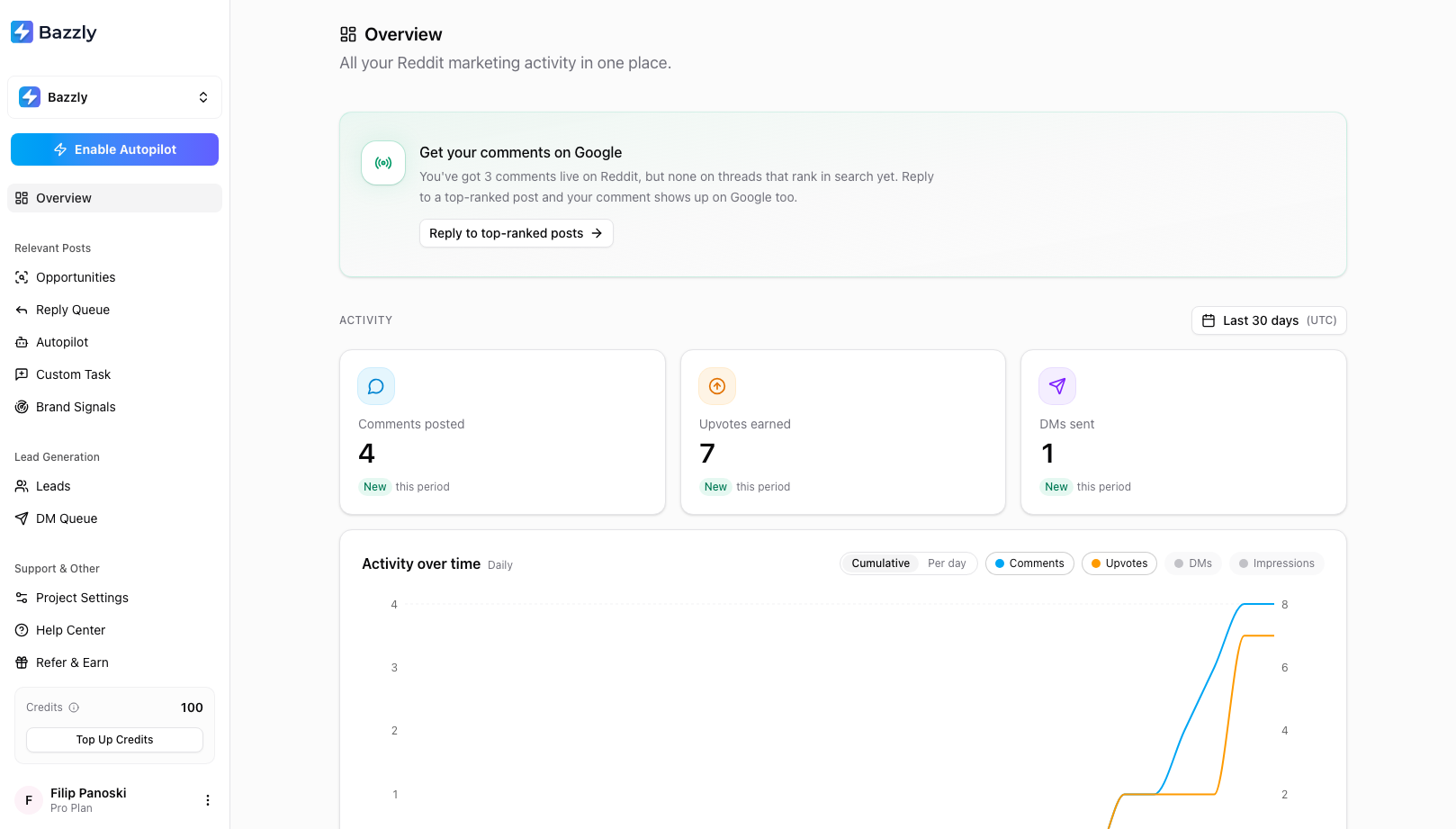
The Overview page is the loop in one screen: activity counts, queued work, and everything still working for you on Google.
1. Discovery: two channels, one feed
Bazzly finds opportunities through two channels, and both are set up automatically when you paste your product URL.
Real-time monitoring in Reddit communities. Bazzly watches the subreddits attached to your project and catches new posts within minutes. These show up under Opportunities with a Recent Post badge. Speed matters here: an early, helpful reply on a fresh thread gets read by everyone who arrives after you.
Top-ranking Reddit posts on Google. For each project, Bazzly keeps a list of Google searches your customers make (for example "best project management tool for startups reddit"). It looks up which Reddit threads rank at the top for those searches and adds them as opportunities with a Top-Ranked badge. These threads are often months old, but they keep pulling search traffic and get quoted in AI answers, so a good reply there keeps working long after you post it.
A third feed, Brand Signals, is not about opportunities at all. It shows who is talking about your product and your competitors on Reddit, with a sentiment label on each mention, so you can react by hand when it matters. Comments you post through Bazzly are left out of the feed, so it only shows what other people say. They still count toward share of voice, where your bar shows how many were placed with Bazzly.
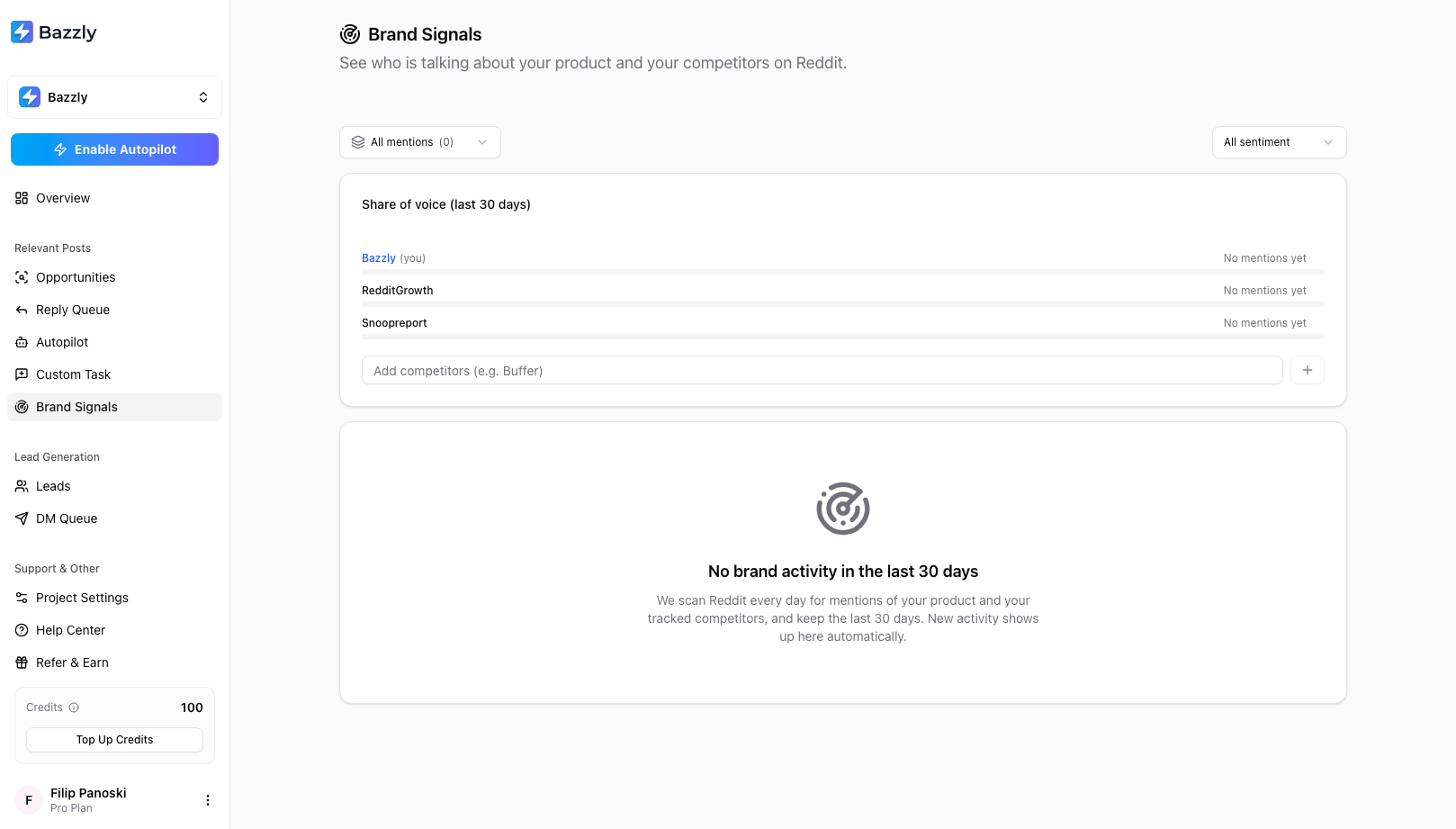
Brand Signals tracks mentions of you and your competitors for the last 30 days, with share of voice at the top.
2. Scoring: the match percentage
Every post Bazzly finds is read by an AI that knows your product (what it does, who it is for, the pain points it solves, your competitors). The result is a match score from 0 to 100% and a plain-language classification such as Is looking for a product like yours or Describes a problem your product solves.
Only posts above your project's Minimum Fit Score (80% by default) reach the Opportunities page. Hover the match badge on any card to read the AI's one-line reason. If you see too few opportunities, lower the threshold in Project Settings; if you see too many weak ones, raise it or tighten the classifications you care about.
3. Drafting: replies that read like a person
When you open an opportunity and click Draft reply, Bazzly writes a comment that answers the post first and mentions your product where it genuinely fits. The draft uses your product's profile plus any AI Reply Instructions you have added (tone, things to always mention, things to avoid). You can edit every word before it goes anywhere.
For leads, the same idea applies to DMs: Bazzly fills your DM template with what the person actually wrote about, so the message reads as a reply to them rather than a broadcast.
4. Posting: warmed-up accounts or your own
You choose how each comment goes out:
- Post via warmed-up account. Bazzly posts through an aged Reddit account with established karma. Your own account is never involved, so there is no ban risk to you, and Reddit filters these comments less often. This costs 10 credits per comment.
- Post via my account. The comment is queued and posted from your own Reddit account through the Bazzly browser extension, from your browser and your own IP address, exactly like posting by hand. This costs no credits.
DMs always go from your own account through the extension. Bazzly never sends DMs through warmed-up accounts and never sends them on Autopilot.
5. Ranking: upvotes
A comment buried at the bottom of a thread does not get read. When you queue a comment you can add upvotes, either a fixed number or Rank #1, where Bazzly checks the current top comment and adds just enough to beat it. Upvotes are delivered gradually to look natural, and each one costs 0.2 credits.
6. Tracking: the queues
Everything you request lands in a queue where you can watch it move:
- Reply Queue shows every comment as Queued, Posted, Removed or Cancelled, with a link to the live comment and the status of any upvote order.
- DM Queue shows every DM as Queued, Sent or Failed.
- Overview adds the totals, an activity chart, and a Credit log so you can see exactly what each action cost and what was refunded.
Bazzly keeps checking posted comments for weeks afterwards. If a moderator removes one within 48 hours, the comment credits come back automatically.
Manual or Autopilot
Everything above works in two modes. In manual mode you review opportunities, edit drafts and decide what to queue. On Autopilot, Bazzly finds posts above your relevance threshold, writes the comment, posts it through a warmed-up account and adds upvotes, all without you touching anything. You set the daily pace and the threshold, and Autopilot pauses itself if credits run low or a draft would have contained a link. Most people start manual for a week to learn what a good opportunity looks like for their product, then switch Autopilot on.
Where to go next
- Setting up your first project to tune the keywords, subreddits and searches that feed the loop.
- Finding and acting on opportunities for the day-to-day workflow.
- Reply Autopilot when you are ready to go hands-off.
Frequently asked questions
- How often does Bazzly scan Reddit?
- Continuously. Subreddit monitoring catches new posts within minutes of them being published, and the Google-ranking check runs on a schedule for each of your search queries. Opportunities appear on the dashboard as soon as they are scored, so there is nothing to refresh or trigger.
- Does Bazzly post anything without asking me?
- Only if you turn Autopilot on. In manual mode nothing is posted until you queue it yourself. Autopilot posts comments (never DMs) through warmed-up accounts, within the daily pace and relevance threshold you choose.
- What is the difference between an opportunity and a lead?
- An opportunity is a Reddit post worth replying to in public. A lead is the person who wrote a matching post, surfaced so you can reach out privately with a DM. The same post often produces both.
- Which subreddits and searches does Bazzly use for my product?
- They are chosen automatically when you paste your product URL, based on what your site says, and you can edit both lists at any time under Project Settings. Bazzly also upgrades the subreddit list over time based on which communities perform best for you.
Was this article helpful, or still stuck?
Contact support