Credits, plans, and billing explained
How credits work, what each action costs, what the plan includes, and how to manage your subscription.
Bazzly has one plan and one currency. The plan is a monthly subscription that includes a credit allowance; the credits pay for the actions that use Bazzly's accounts. This article explains what you get, what each action costs, how to top up, what gets refunded, and how to manage the subscription and additional projects.
The plan
- $199 per month, billed monthly, cancel anytime.
- 170 credits per month for your project, refreshed on every renewal.
- Everything included: opportunities, leads, Autopilot, warmed-up accounts, upvotes, the browser extension, the public API and the MCP server.
New accounts start with a 7-day free trial. There is no charge on the day you start it; you get 5 trial credits to try warmed-account posting, and a reminder email three days before the trial ends. When the trial ends the plan starts, your card is charged, and the full 170 credits are added. You can end the trial early with Activate Plan in the sidebar credit widget to get the full allowance immediately. If you cancel during the trial nothing is charged.
What costs credits
| Action | Cost |
|---|---|
| Comment posted through a warmed-up account | 10 credits |
| Upvote | 0.2 credits each |
| AI draft (reply or DM) | 0.1 credits |
| Autopilot AI drafts | free |
| Comment posted from your own account via the extension | free |
| Sending a DM | free |
| Finding opportunities, leads and brand signals | free |
A warmed-account comment with five upvotes is 11 credits. On Autopilot at Moderate pace, two comments a day with Rank #1 upvotes come to roughly 22 credits a day, which is why 170 credits and a top-up or two covers a full month for most projects.
Two kinds of credits
Your balance is the sum of two buckets, shown in the sidebar:
- Monthly credits reset to 170 at each renewal. Unused ones expire; they do not roll over.
- Topped-up credits never expire. Monthly credits are always spent first, so purchased credits are never wasted.
Hover the info icon next to Credits in the sidebar to see when the monthly credits reset. The balance turns amber at 20 credits, and Autopilot pauses below 10.
Topping up
Click Top Up Credits in the sidebar.
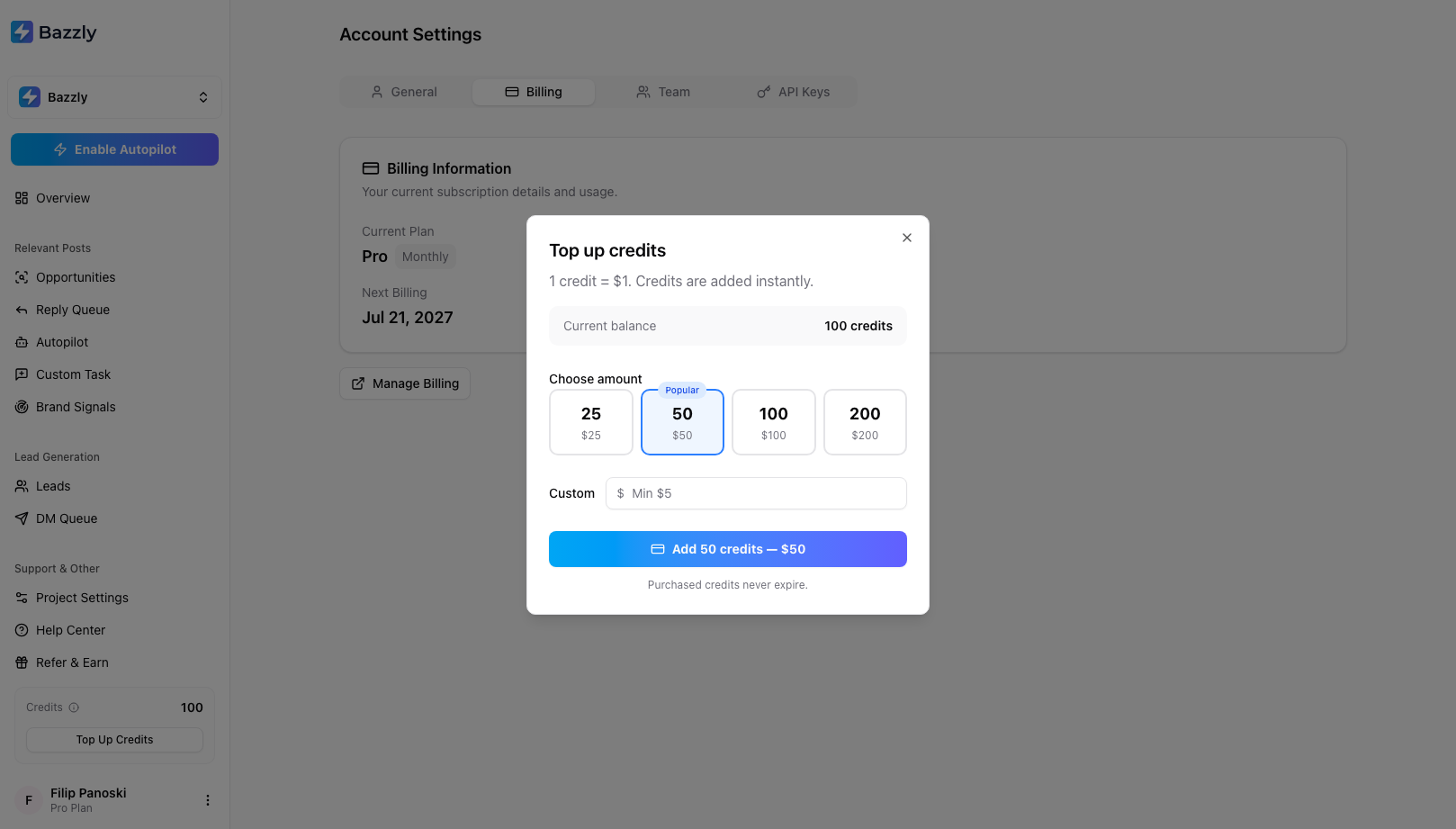
1 credit = $1. Credits are added instantly and never expire.
Pick 25, 50, 100 or 200, or enter a custom amount (minimum $5, maximum $1,000). The charge goes to the card on your subscription and credits arrive immediately. Top-ups need an active subscription.
Auto top-up lives on the Autopilot page: when credits drop below a threshold you set (default 20), Bazzly adds 25, 50, 100 or 250 credits automatically. An optional monthly limit caps what auto top-ups may charge per calendar month (manual top-ups never count). It only fires while Autopilot is running. See Reply Autopilot.
The credit log
Open Overview, scroll to History and choose Credit log.
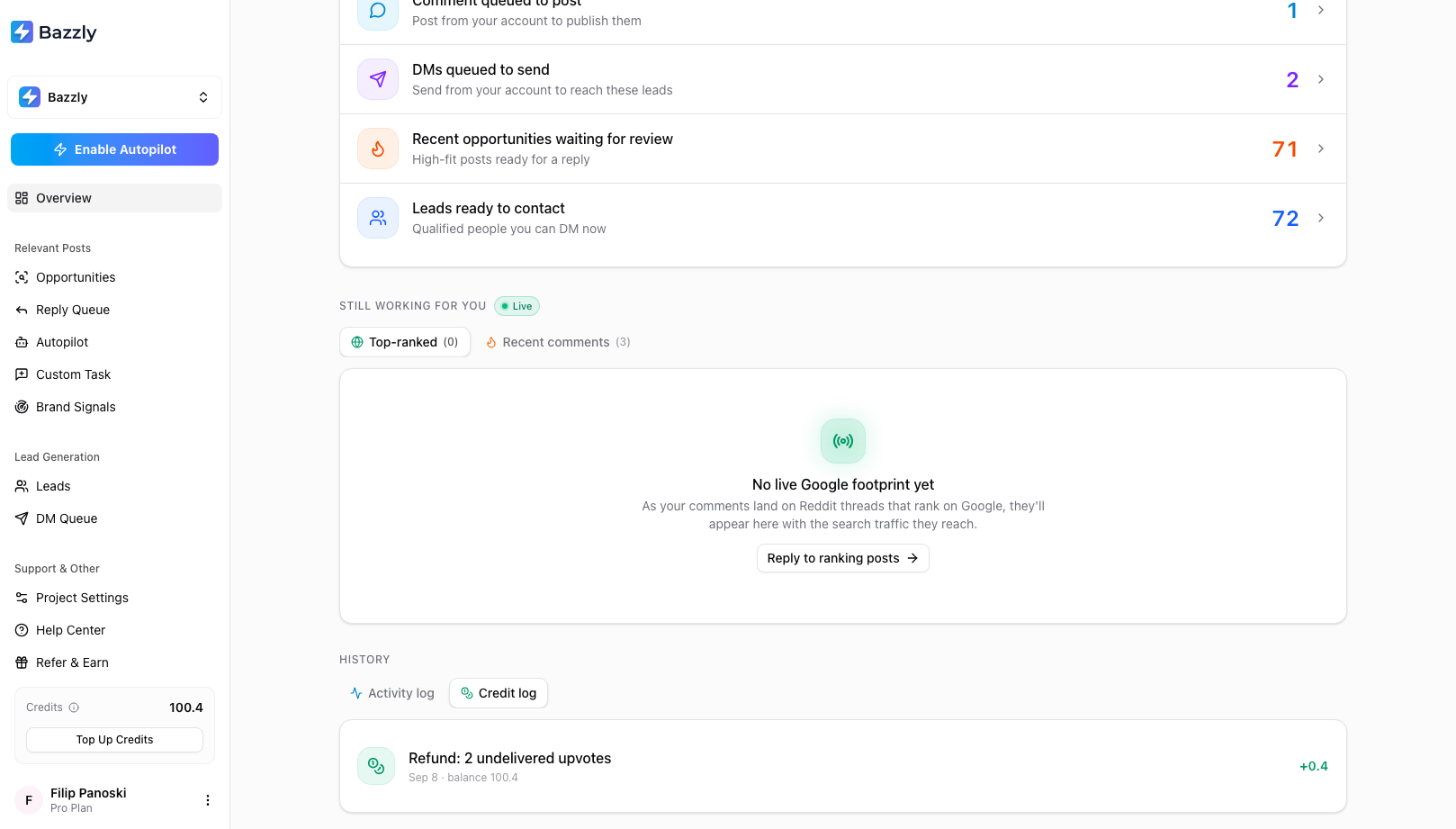
Every debit, refund, top-up and monthly reset, with the running balance.
Entries include Credits used (with the thread or recipient), Credits refunded, Credits topped up, Monthly credits and Starting credits.
Refunds
Refunds are automatic; you never need to ask.
- A warmed-account comment removed within 48 hours of posting: the 10 credits come back. Exception: strict-on-promo subreddits where you chose to post anyway (the composer warns you first).
- A comment that never went live (cancelled, could not be posted, five-day window expired): refunded in full.
- Upvotes that were not delivered: refunded at 0.2 credits each, in every case.
Refunds appear on the Reply Queue card as a Credits refunded chip and in the credit log.
Managing the subscription
Open Account Settings and the Billing tab.
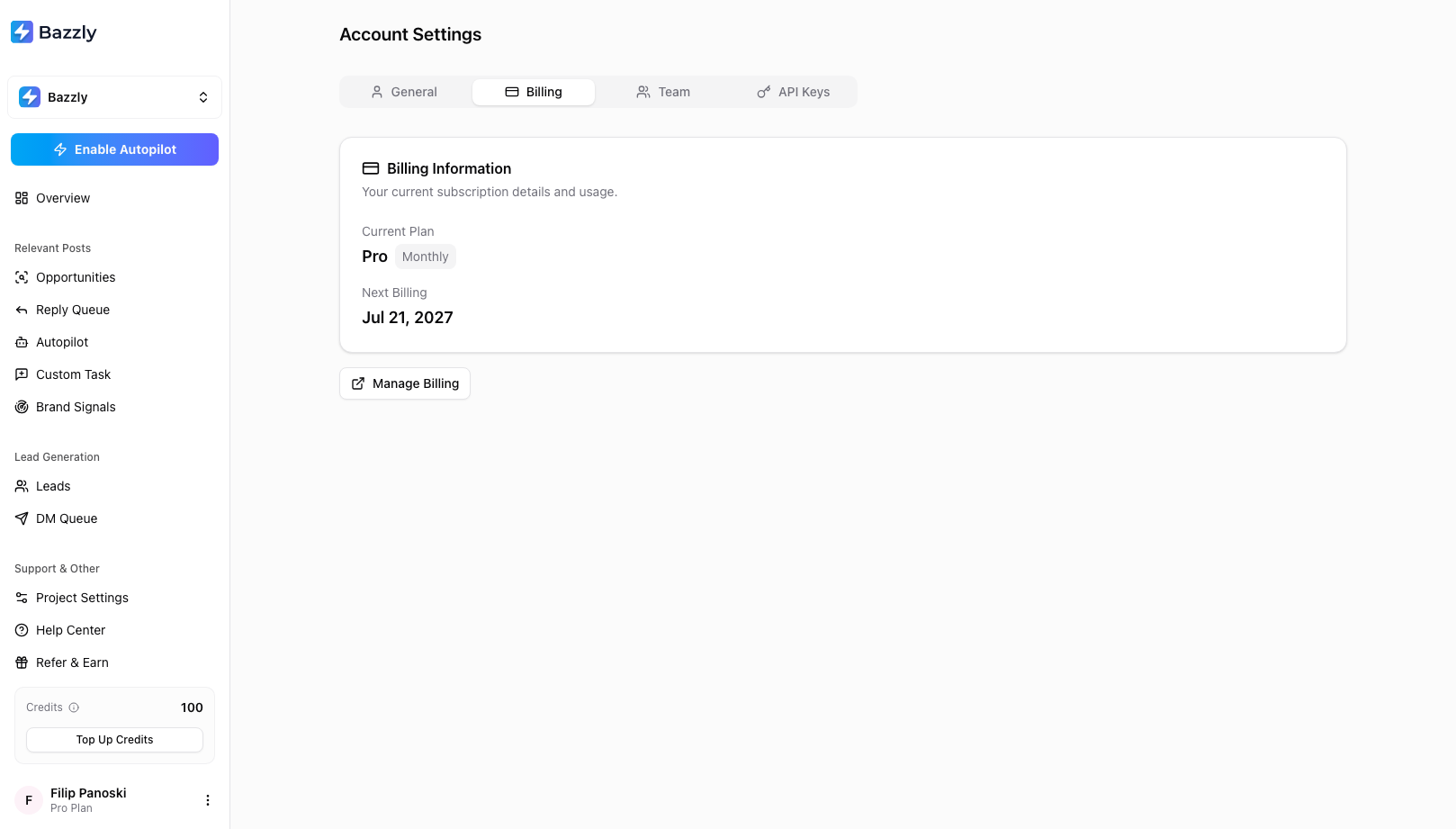
Plan, next billing date, and the door to the Stripe billing portal.
Manage Billing opens the Stripe customer portal, where you can update the card, download invoices, or cancel. A cancelled subscription stays active until the end of the paid period; the Billing tab shows the end date with a Reactivate button until then. When the period ends, projects become inactive and stop finding opportunities; your data stays, and reactivating brings everything back.
Additional projects
Each product is its own project with its own credits. Adding a second active project adds a seat at the plan price, prorated for the rest of the current period, with a prorated share of credits now and the full 170 on each renewal. The Activate Project dialog shows the exact charge before you confirm.
To stop paying for one project without cancelling your plan, go to Account Settings, then the Billing tab, and click Cancel project next to it under Projects on your plan (the same button is also in that project's Project Settings, under Billing). This list appears once you have two or more active projects. The project keeps working until the end of the billing period, then stops, and your subscription drops by one seat. Undo Cancellation is available until then.
Team and API access
- Team (Account Settings): invite teammates by email as Member (full access to all projects, including spending credits) or Admin (can also manage billing and the team). Teammates are not charged extra.
- API & MCP (Account Settings): connect Claude Code, Codex, Cursor or any other MCP client in one step. Pick the client, click Connect, and the install command or config appears with a fresh key already filled in. Keys get all three scopes (Read, Write, Top-ups) so an agent can keep Autopilot funded; every credit or card charge still returns a preview the agent must confirm. Advanced lets you name the key or drop a scope. Keys are shown once and work during the trial too; only a cancelled plan has to be reactivated first.
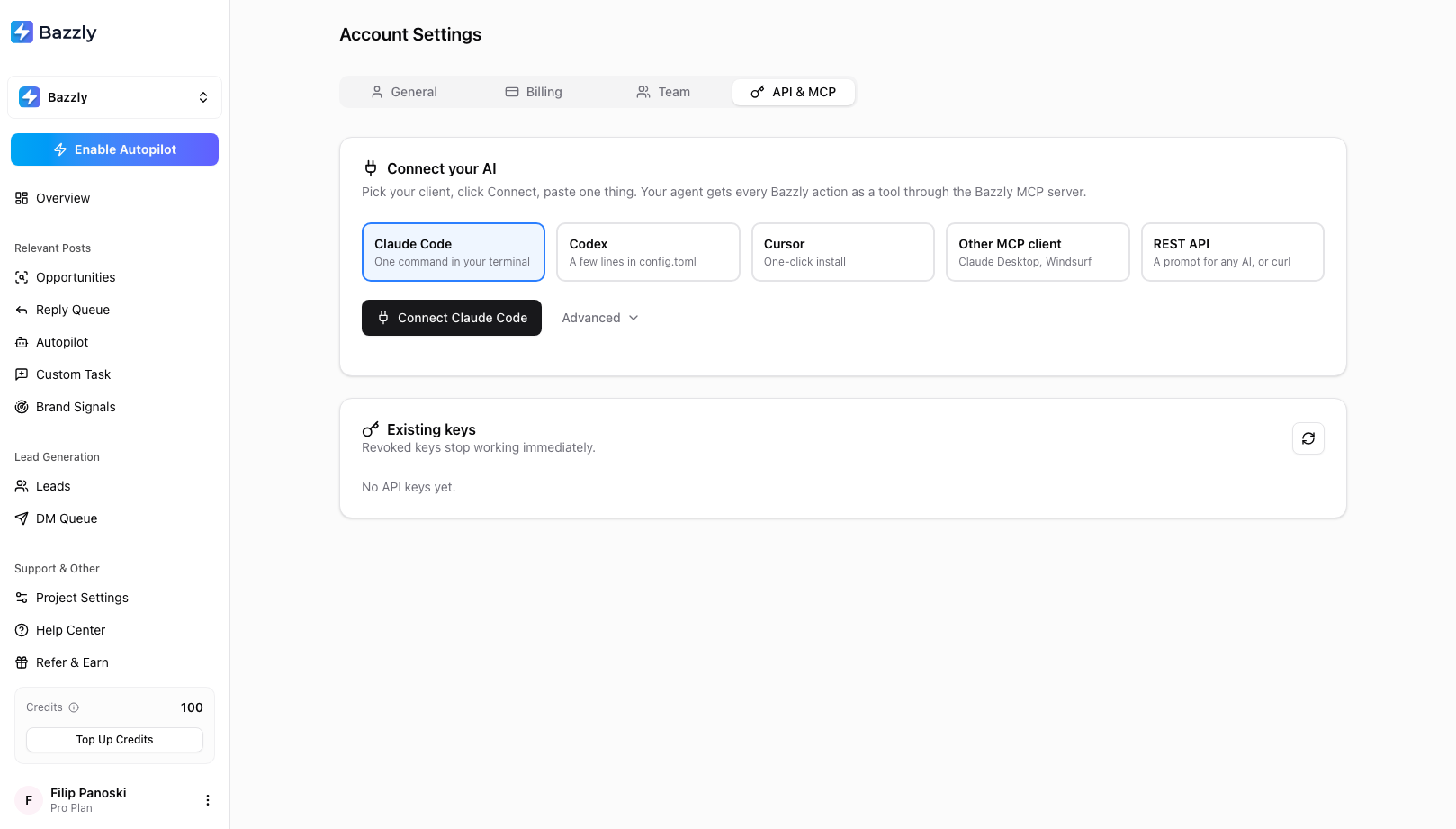
One click creates a key and shows the install step for your client. The Top-ups scope lets an agent buy credits on your behalf.
Questions about an invoice or a charge? Email support@bazzly.ai with the email you signed up with.
Frequently asked questions
- Do unused credits roll over to next month?
- Monthly credits do not; they reset to 170 at each renewal. Topped-up credits never expire and are only spent after the monthly allowance is used, so buying extra is never wasted.
- Is a card required for the free trial?
- You add a payment method when you start the trial, but nothing is charged on that day. The first charge happens when the 7-day trial ends, and you receive a reminder three days before. Cancelling during the trial means no charge at all.
- What happens to my projects if I cancel?
- Everything keeps working until the end of the period you already paid for. After that, projects become inactive and stop finding opportunities and leads. Your settings, history and queues are kept, and reactivating restores them.
- Are teammates charged as extra seats?
- No. Team members and admins are free; they share the projects and credits on your account. Only additional projects are billed, one seat per active project beyond the first.
Was this article helpful, or still stuck?
Contact support