On this page
It's Thursday afternoon, your newsletter is half written, and your inbox shows a trial signup from Tuesday that nobody answered. Someone visited your pricing page twice this morning, left, and got no follow-up because you were fixing a bug. Nothing's broken in your product. The gaps are in timing, and they're exactly what marketing automation for startups is meant to close, when you're ready for it.
What Marketing Automation Means for a Startup
Think of a thermostat. You set the temperature once, the system watches for that condition, and it acts without you standing by the furnace. Marketing automation works the same way. You define the conditions in advance, and software sends a message, creates a task, or alerts a person when those conditions occur.
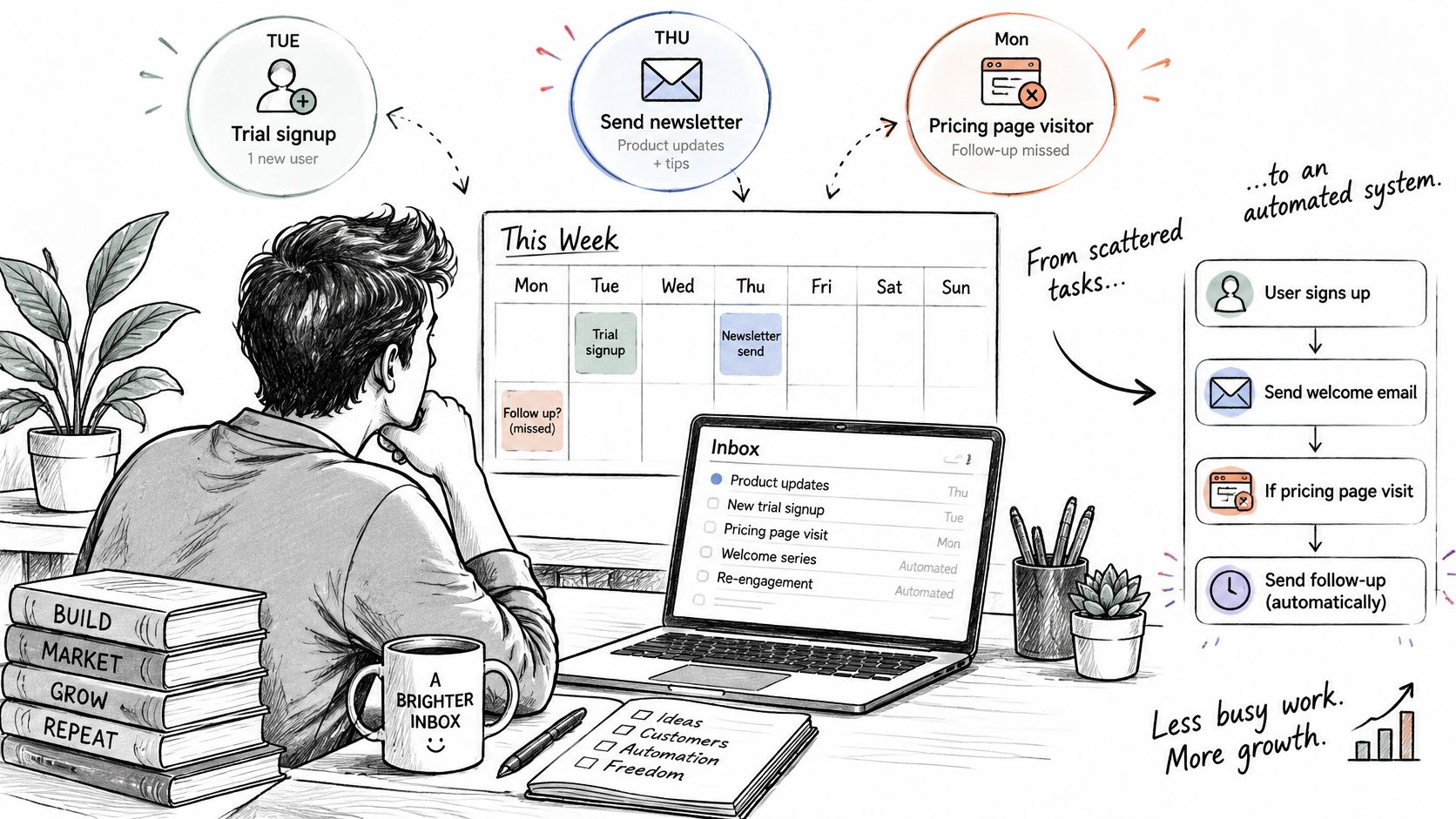
Every workflow has three parts, and if one is missing, you don't have automation. You have a scheduled send.
The Three Parts of Every Workflow
- Trigger: Something a person does, or stops doing. A signup, a pricing page visit, a form fill, or a week of silence.
- Rule: Who qualifies, and what they've already seen. This stops a paying customer from receiving a trial discount.
- Action: What happens next. An email, an alert to a named owner, a task in your CRM, or a status change.
Here's a concrete version. A prospect signs up for a trial at 11 p.m. The trigger fires, the rule checks that she hasn't already activated, and the action sends one short message pointing to the first useful feature. Nobody on your team was awake, and nothing about that send required judgment in the moment.
This isn't a fringe practice anymore. The 2024 Forrester study reported by Marketing Interactive found that 25% of B2B marketing teams were already using artificial intelligence and machine learning in production, and 21% reported using AI and machine learning for marketing automation and tactic orchestration. It also found that 82% of respondents said AI improved efficiency by streamlining workflows or automating content generation.
For a startup, that efficiency matters more than send volume. You're not trying to email more people. You're trying to multiply scarce time, so the same small team can notice buying signals, sort contacts, and follow up consistently. A person should still review positioning, relevance, and anything that could embarrass the brand. Software handles repetition. People handle judgment.
The plain test: If a person does X, does the system do Y without anyone touching it? If not, it's a calendar, not automation.
When to Automate and When to Wait
Should you automate now? That question comes before any tool choice, because automation amplifies what you already do. If your message is unclear, automation delivers an unclear message to more people, faster.
Run these five checks before you buy anything.
| Check | Ready when | Wait when |
|---|---|---|
| Audience | Same buyer persona for at least 8 weeks | Persona changes every few weeks |
| Offer | One repeatable offer with a clear price | Offer is still being rewritten |
| Lead volume | Enough contacts to finish a test group within 4 weeks | Too few new contacts for a test to finish in a month |
| Handoff rules | A named owner and an agreed response target | Leads land in a shared inbox with no owner |
| Conversion event | A qualified action is tracked in analytics | Only opens and clicks are tracked |
Why Small Teams Often Sense This Correctly
Founders who hesitate aren't always behind. Recent U.S. Small Business Administration research found that nearly 82% of businesses with fewer than five employees that do not plan to adopt AI say they consider it irrelevant to their business, while only 6.7% cite lack of knowledge and 6.3% cite privacy concerns.
That result points to something vendors rarely say. Very small startups can lose more from premature automation than from doing valuable work by hand. Generic messages, badly timed follow-ups, and the weekly upkeep of rules nobody remembers writing all cost real hours. Manual work also teaches you what buyers say, which is knowledge you need before you encode it into a workflow.
Automate Execution Before Judgment
Split the work into two kinds. Execution includes reminders, lead routing, status updates, and reporting. Those are safe early wins because the decision is already made and the software only carries it out. Judgment includes positioning, qualification, and sensitive replies. Keep those human reviewed until your patterns are stable.
A practical safeguard is control over autonomy. Users should be able to switch from autopilot to manual mode, where they approve each reply before it is posted. If a tool can't slow down when you're learning, it's asking you to trust rules you haven't tested yet.
Use this decision rule. If three or more checks show wait signals, automate only reporting and reminders for the next month, and spend the saved effort on fixing the offer, the owner, or the tracking.
The Five Workflows Startups Should Build First
Start with behavior, not the calendar. A weekly newsletter goes to everyone at the same time, regardless of interest. A triggered workflow responds to one person at the moment that person showed intent.
| Workflow | Trigger | Action | Metric |
|---|---|---|---|
| Welcome sequence | New signup | Three emails over seven days toward the first key action | Activation rate |
| Trial recovery | Onboarding stalled for 48 hours | One reminder with one next step, then stop | Trial-to-activation rate |
| Pricing-page follow-up | Two pricing-page visits in seven days | Case study or demo invitation | Demo request rate |
| Lead scoring and routing | Form fill, demo request or reply to a question | Score the lead and alert the owner within one hour | Time to first response |
| Inactivity re-engagement | No login for 21 days | Feature reminder, exit after two sends | Reactivation rate |
The welcome sequence has one job, getting a new signup to the first meaningful action in your product. Three short messages over seven days work better than a feature tour, because each one can point to a single next step. Trial recovery is deliberately restrained. When onboarding stalls for 48 hours, send one reminder naming the exact step the person skipped, then stop. Repeated nudging after silence usually signals a product problem, not a messaging gap.
Pricing-page follow-up targets people comparing options right now. Two visits in seven days is a reasonable intent signal, and a relevant case study or a demo invitation fits that moment. Lead scoring and routing protects your hottest contacts. Score the lead, then alert a named owner within one hour so a reply doesn't wait in a shared inbox. Inactivity re-engagement covers customers drifting away. After 21 days without a login, remind them of one feature tied to their earlier use, and exit after two sends.
Why Triggers Outperform Batches
The gap is measurable. Shopify's summary of Klaviyo data covering more than 183,000 brands reports average campaign click-through of 1.69% versus 5.58% for automated flows, while the average placed-order rate rises from 0.16% to 2.11%. Relevance and timing explain most of that difference. The message arrives because the person acted, not because Tuesday arrived.
You only need a modest setup behind these flows. Record each event with user ID, event type, timestamp, product context, and consent status. Then let a rules layer check eligibility and suppress conflicting messages, so one contact never enters three workflows at once. Add frequency caps, inactivity exits, and suppression after activation or purchase.
If you want a deeper look at automating the top of the funnel, this guide to lead generation automation for startups covers the capture side. Your immediate action is simpler. Pick the two workflows whose trigger events you already track today, and build those first.
Pick a Platform That Fits Your First Workflows
Choose a category before you choose a vendor. Your readiness result and your two starter workflows already narrow the field, so let them lead.
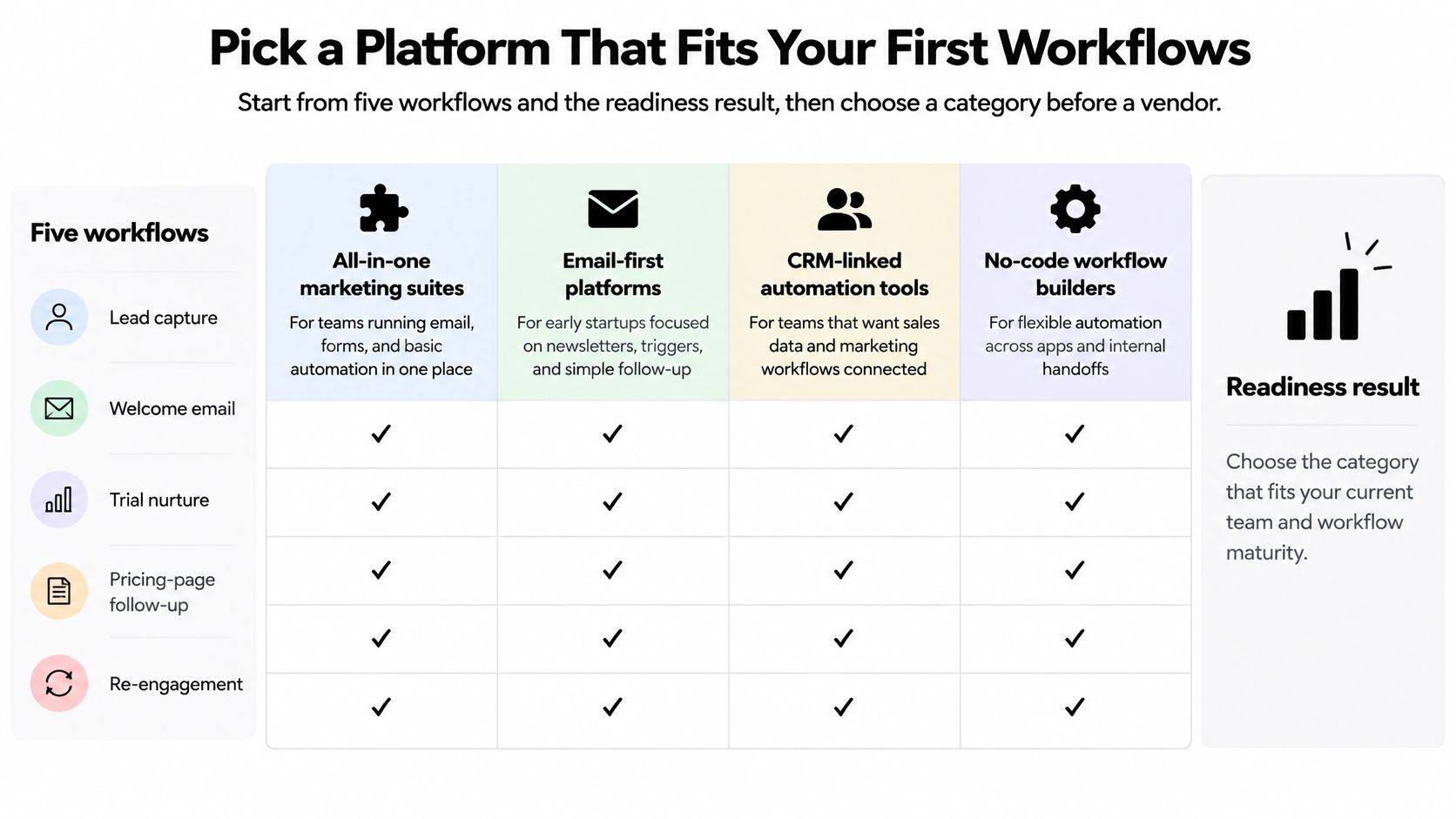
| Platform type | Best for | Main strength | Main trade-off |
|---|---|---|---|
| All-in-one marketing suite | Teams running email, forms and ads from one place | One login and shared contact data | Heavier setup and higher tiers for automation |
| Email-first automation tool | Products with a list-based sign-up funnel | Strong flow builder and templates | Weak sales handoff and limited intent signals |
| CRM-native automation | Teams already working inside a CRM | Shared records with sales | Narrow channel coverage beyond email |
| Community and intent-signal tool | Startups winning customers in forums or on Reddit | Finds buying-intent conversations as they happen | Narrow channel; replies need human review |
Suites suit teams tired of stitching tools together, but you'll pay for breadth you may not use this year. Email-first tools such as MailerLite or Brevo get a signup funnel running quickly, yet they often struggle when a lead needs a fast sales handoff. CRM-native options inside HubSpot or Zoho keep marketing and sales on one record, which helps if your CRM is already where work happens. Community and intent-signal tools fit startups whose buyers ask questions in public forums. Our own customers are mostly software, AI, marketing and career products, and finding opportunities, leads and brand signals is free, which lets a founder judge signal quality before paying for anything.
Short walkthroughs help you see how these categories differ in daily use before you sit through sales calls.
Criteria to Check Before You Pay
- Event-based triggers: The tool starts workflows from product behavior, not only list membership.
- CRM and product connection: A native integration or API keeps one contact record.
- Consent handling: Every contact carries an opt-in status the workflows respect.
- Approval before sending: You can review messages while you're learning.
- Handoff alerts: A hot lead reaches a named owner quickly.
- Contact-based pricing: Costs grow predictably as your list grows.
- Easy export: You can take your data elsewhere without a fight.
Watch for a sharp price jump at the next contact tier, no way to start from behavioral events, and no approval step. If your team prefers connecting apps without code, the Formbricks guide to no-code automation is a useful comparison of that approach. Ask each finalist for references from companies in your market, and test signal quality on your own data. This overview of startup growth tools worth evaluating can help you place any new purchase inside your existing stack.
Then run one workflow for 30 days against a holdout group that receives nothing. Expand only if the treated group converts better.
How to Build Your Stack in Seven Steps
Build in order, because each step makes the next one possible. Skipping ahead usually means rebuilding later with messier data.
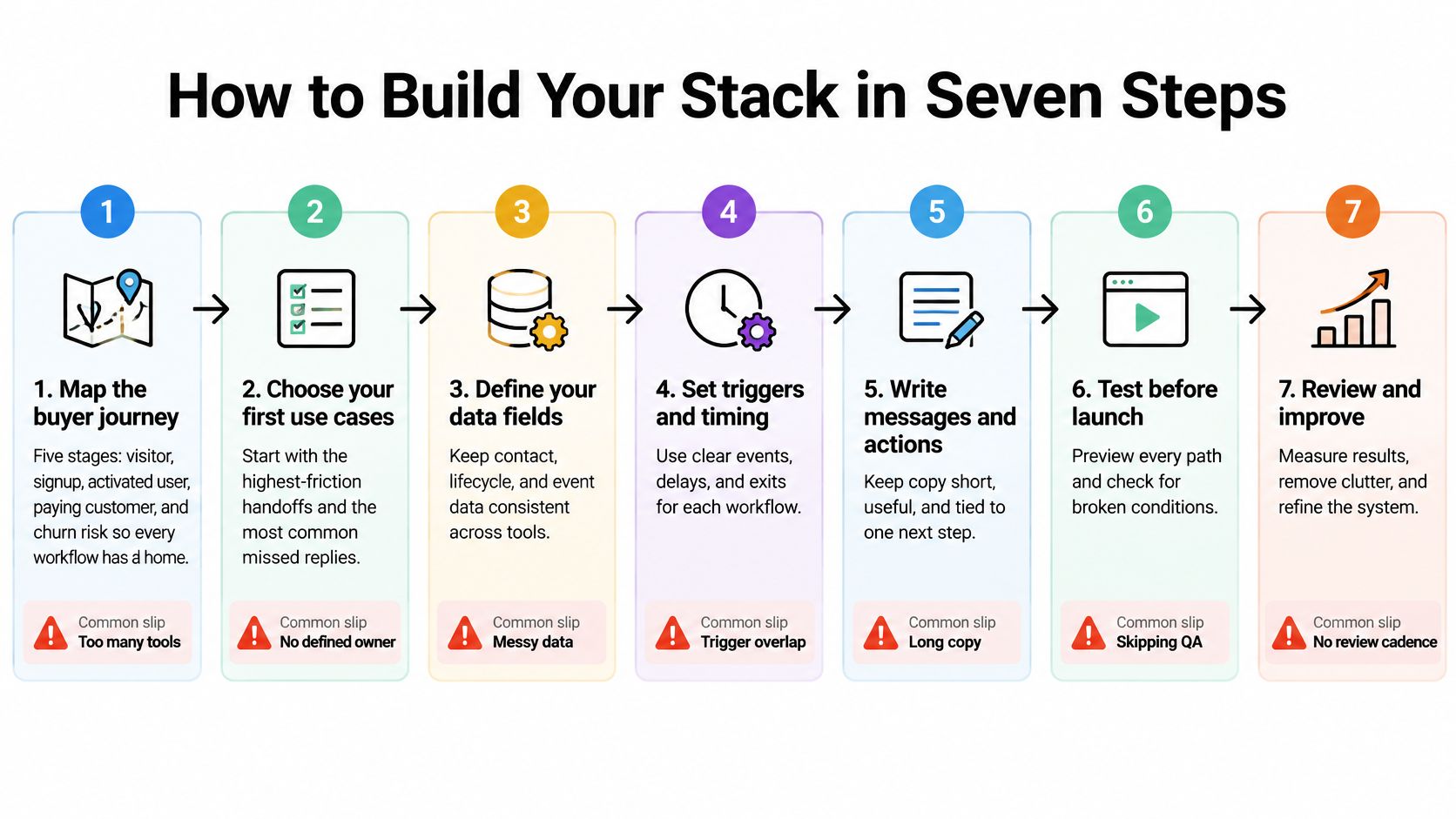
- Map the buyer journey. Use five stages: visitor, signup, activated user, paying customer, and churn risk. Every workflow should move a person from one named stage to the next. Check: each stage has one definition your whole team accepts.
- Define a small contact schema. Keep acquisition source, persona, lifecycle stage, product activity, intent score, and last meaningful interaction. Six accurate fields beat dozens of fragile segments nobody updates. Check: every field has an owner and a source.
- Write entry, conversion, and exit rules. Each workflow needs entry criteria, one conversion event, and one exit condition. Without an exit, your system keeps selling to someone who already bought. Check: you can state all three in one sentence per workflow.
- Connect sources into one record. Product events, forms, and your CRM must agree on who a person is, with consent status attached. Duplicates here become duplicate messages later. Check: one test contact looks identical in every tool.
- Run manually for one week. Start in manual mode for a week to learn what a good opportunity looks like for your product before switching Autopilot on. Approve every message and routed lead, and note which ones you'd have rejected. Check: you've reviewed enough examples to describe a good opportunity out loud.
- Turn automation on with limits. Add frequency caps and hold back a group of eligible contacts who receive nothing. That holdout is how you'll know whether the workflow caused any lift. Check: the holdout group exists before launch day, not after.
- Review every two weeks. Look at conversion, unsubscribe and complaint rates, and time to response. Fix the offer or the routing before you increase send volume. Check: each review ends with one change, one owner, and one date.
What Healthy Looks Like After Week Four
You should have two workflows running, one contact record you trust, and a short list of rejected examples that sharpened your rules. Volume stays modest. Nobody's chasing edge cases with new branches.
A calm stack sends fewer messages than you expected, and each one exists for a reason you can explain.
If your team lacks time to wire this together, an external marketing automation agency can handle the connections while you keep ownership of messaging and definitions. Whichever route you take, keep the seven checks in a shared document. They're your record of why each rule exists when a new hire asks six months later.
Consent, Unsubscribes and Data Rules
Before any promotional workflow goes live, your contact record needs to answer one question clearly. Did this person agree to receive marketing from you?
A trial signup isn't automatic permission for marketing email. Record whether each person opted in to marketing, accepted service messages only, or withdrew, along with the source and date. That single field protects deliverability and keeps you honest when a contact asks why you emailed them.
Separate the Two Kinds of Messages
Transactional messages include password resets, invoices, and activation confirmations. Customers need those regardless of marketing preferences. Promotional workflows include offers, nurture sequences, and re-engagement campaigns. Suppress promotional flows for anyone without marketing consent, even if they're an active user.
Unsubscribes and complaints must take effect everywhere at once. If your email platform records an unsubscribe but your CRM doesn't, that contact lands in the next sequence and you've broken trust for a sync delay. Set a retention rule for event data too, and delete a person's records when they ask.
Pre-Launch Checklist
- Record consent source and date on every contact.
- Sync unsubscribes within one day across all tools.
- Block sends to contacts without marketing consent.
- Keep promotional and service senders separate so one stream's reputation doesn't harm the other.
- Review regional rules such as GDPR and CAN-SPAM with counsel before launch.
Rules differ by market, and this isn't legal advice. Treat the checklist as an operational floor, then get a qualified review for the regions where you sell.
Measuring Results Without Fooling Yourself
Big benchmark numbers make automation sound effortless, so read them with care. Industry compilations reporting HubSpot and Annuitas findings state that 80% of automation users experienced increases in leads, while 77% reported higher conversion rates, and automated lead nurturing is also commonly associated with a 451% increase in qualified leads. Treat those as reasons to test carefully, not as forecasts for your startup.
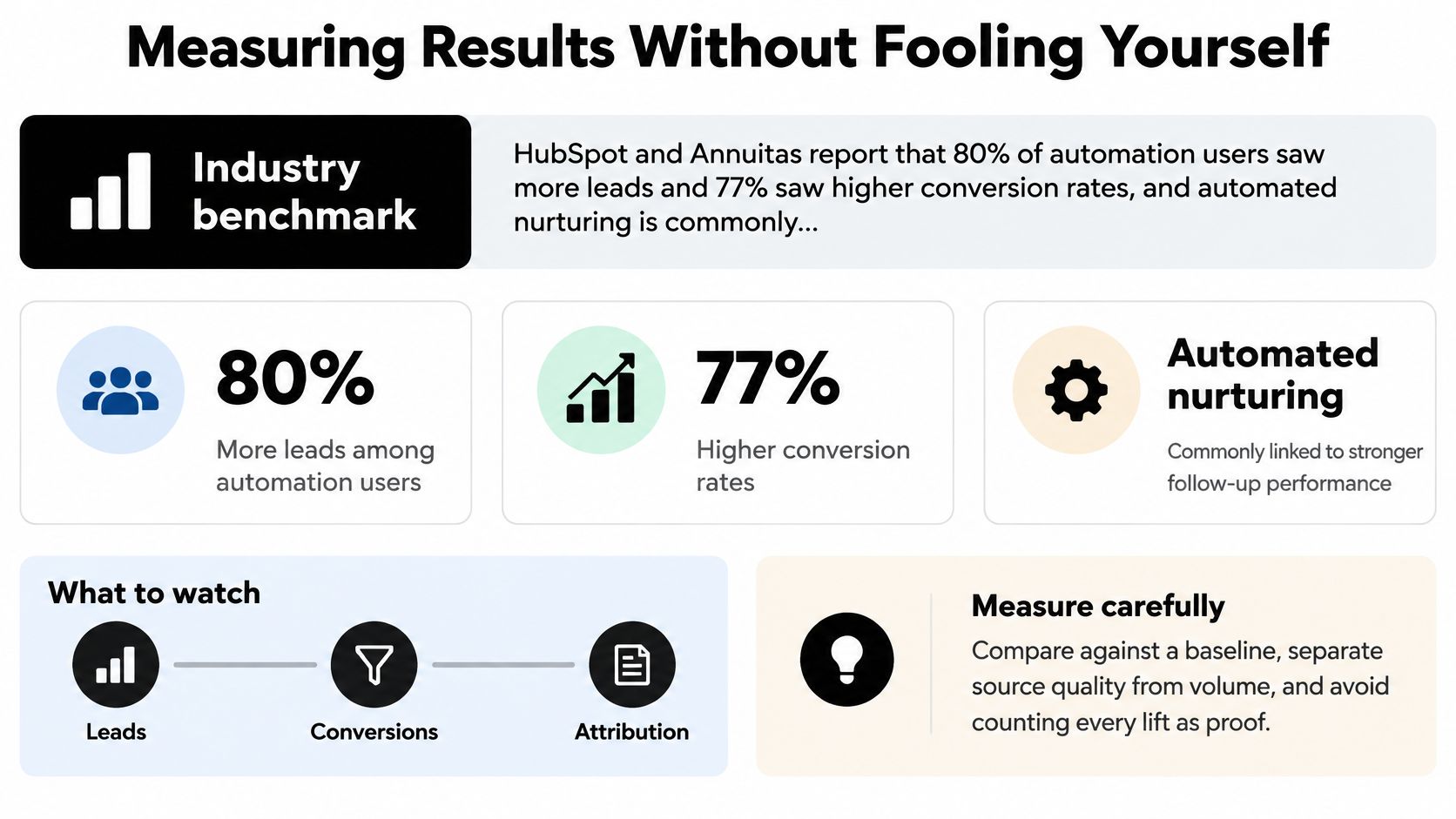
The question that matters is harder. Did automation create new demand, or did it relabel demand that would have arrived anyway? A workflow can claim credit for every customer it touched, including people already returning to buy. Without a comparison group, you'll overstate results and expand the wrong flows.
Fragmented data makes this worse. MarTech's 2025 State of Your Stack survey found that 65.7% of respondents identified data integration as a major stack-management challenge, while budget constraints were especially important for small businesses. Your contacts probably sit across a CRM, an analytics tool, community channels, and a spreadsheet. That's why your first investment may be measurement plumbing rather than another sending feature.
Set Up Measurement in This Order
- Record a baseline. Capture four to six weeks of data before launch, including signups, activations, and qualified calls.
- Tag every flow. Use a UTM parameter, referral code, or CRM source field so each workflow leaves a trace.
- Define lifecycle stages. Write down what counts as a qualified conversation, an opportunity, and a sales-accepted lead.
- Separate sourced from assisted revenue. Sourced revenue started with the workflow. Assisted revenue was merely touched by it.
- Compare against the holdout. Eligible contacts who received nothing show you the natural conversion rate.
- Track the negatives. Count unsubscribes, complaints, irrelevant replies, and cleanup hours as real costs.
Say your team gets 40 trial signups a month. Before launch, six of them reached a qualified call. After launch, you compare the treated cohort with the holdout and count qualified calls in each, not opens. If both groups convert at the same rate, your workflow added activity rather than customers, whatever the click report says.
Keep a One-Page Scorecard
Review these numbers monthly: qualified conversations, opportunity rate, sales-accepted leads, time to response, unsubscribe or complaint rate, and revenue per workflow. Six metrics fit on one page and force a decision. Opens can stay in the platform for copy tweaks, but they don't belong on a board update.
Deliverability shapes all six. If messages land in spam, your workflow looks weak when the fault sits with sender reputation. Before blaming copy, test your email deliverability so you can separate inbox problems from offer problems. For a broader method on tying spend to pipeline, this breakdown of measuring SaaS marketing ROI pairs well with the scorecard above.
Ninety-day target: Pick one metric, write down its baseline, and set one decision rule in advance, such as rewriting the offer if the treated group doesn't beat the holdout by a margin you choose today.
That discipline is the payoff of marketing automation for startups. You stop arguing from impressions, because each workflow either earns its place against a baseline or gets fixed or removed. Start small, measure carefully, and let proof, not benchmarks, decide what you automate next.
If your buyers ask for recommendations on Reddit before they ever visit your site, we built Bazzly to find those high-intent conversations, draft context-aware replies, and let you approve each one manually before anything is posted. Start by finding opportunities for free, run it like any workflow in this guide with clear triggers and a baseline, and expand only when the qualified conversations prove it's working.
Written by Bazzly Team
Bazzly builds software that finds buyer conversations on Reddit and posts helpful replies in them (227,592 posts flagged for customers since June 2, 2025). The Bazzly numbers we quote come from our own data, published with the method in our research studies. About us


