10 Social Selling Tools Compared for Founders in 2026
By Monday evening, a founder can lose an hour scrolling LinkedIn and Reddit for people who might need the product, another hour pasting notes into a spreadsheet, and the rest of the week forgetting which conversations deserved a follow-up. By Friday, the activity looks busy, but the pipeline still depends on memory.
The social selling tools below don't solve the same problem. LinkedIn Sales Navigator helps identify and monitor accounts. Taplio turns expertise into regular content. LaGrowthMachine and Expandi structure LinkedIn outreach. LeadDelta acts more like a relationship database. Oktopost, EveryoneSocial, and Seismic LiveSocial support enterprise advocacy programs. Bazzly takes a different route through Reddit, where buyers often describe a problem before they ever visit a vendor's website.
That distinction matters for founders. A platform can be excellent at publishing and still be useless for finding qualified conversations. Another can automate sequences but create more account risk and follow-up work than it removes. The right choice depends on which part of the weekly workflow is breaking, not on which tool has the loudest market presence.
This is a workflow comparison, not a popularity ranking. If you're also evaluating broader data and prospecting systems, use this comparison of sales intelligence platforms to separate contact research from social engagement.
Table of Contents
- 1. Bazzly for Reddit conversation capture
- 2. LinkedIn Sales Navigator for native prospecting
- 3. Taplio for content-led engagement
- 4. LaGrowthMachine for LinkedIn sequencing
- 5. Expandi for managed LinkedIn automation
- 6. Meet Alfred for lightweight multichannel outreach
- 7. LeadDelta for relationship CRM
- 8. Oktopost for enterprise advocacy
- 9. EveryoneSocial for sustained employee advocacy
- 10. Seismic LiveSocial for enablement-led selling
- Top 10 Social Selling Tools: Feature Comparison
- Matching Social Selling Tools to Your Team's Next 90 Days
1. Bazzly for Reddit conversation capture
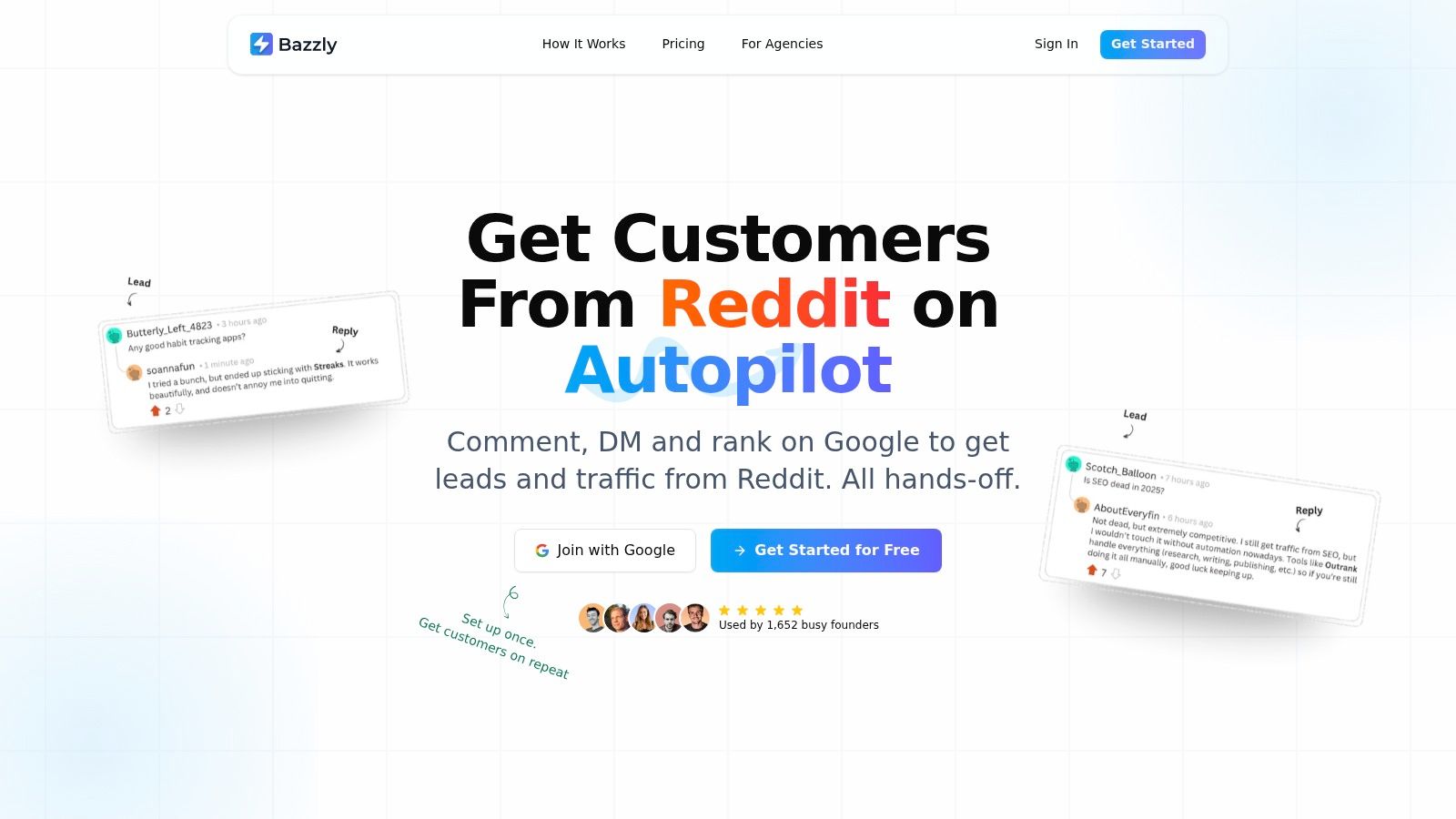
A founder can spend the morning searching Reddit for product-related questions, the afternoon judging whether each thread has genuine buying intent, and the evening drafting replies that may never be posted. Bazzly compresses that routine into a monitored workflow. It tracks relevant subreddits, identifies problem-led discussions, drafts context-aware responses, and supports publishing through warmed-up Reddit accounts or your own account with a Chrome extension. Approvals can stay manual, or the workflow can run on autopilot.
That workflow replaces part of the research and response work handled by a founder or community marketer. Bazzly is not a database of executives and does not function as a content calendar. It finds public conversations where people describe a problem in their own words, then helps you respond while the question is still active.
What the workflow replaces
Bazzly covers subreddit discovery, intent checks, reply drafting, and follow-up reminders. Smart upvotes can help a reply gain visibility within a discussion, while one-click personalized DMs provide a route from a public answer to a direct conversation. The product also positions strong Reddit placements for discovery outside Reddit, including search visibility and citation by AI assistants.
Automation still needs editorial control. A reply that reads like an advertisement can invite moderator action or community skepticism. Set rules for tone, target subreddits, approvals, and account use. Founders should decide which threads merit a genuine answer, especially in communities with strict promotion rules or on sensitive topics.
Current listed pricing shows $199 per month with 170 credits. Some publisher materials still reference the earlier $99 per month plan, so confirm the live price before budgeting. The listed plan includes unlimited leads and opportunities, full autopilot, warmed-up accounts, smart upvotes, and support. A comment through a warmed-up account costs 10 credits, an upvote costs 0.2 credits, and an AI-generated reply or DM costs 0.1 credits, according to Bazzly's website. Check the current credit allocation, top-up terms, and additional-project charges before committing.
Practical rule: Treat Reddit as a community with norms, not as an ad inventory source. Automate discovery and drafting, but keep an approval policy for sensitive threads, regulated topics, and communities with strict promotion rules.
Bazzly is poorly suited to teams whose buyers never use Reddit or who need a formal account-based workflow built around CRM objects, territories, and sales stages. It also cannot replace a broad social publishing suite. Its narrower use case is repeatable Reddit discovery, context-aware replies, prospect detection, DMs, and visibility from conversations that can keep attracting attention after the initial interaction.
2. LinkedIn Sales Navigator for native prospecting
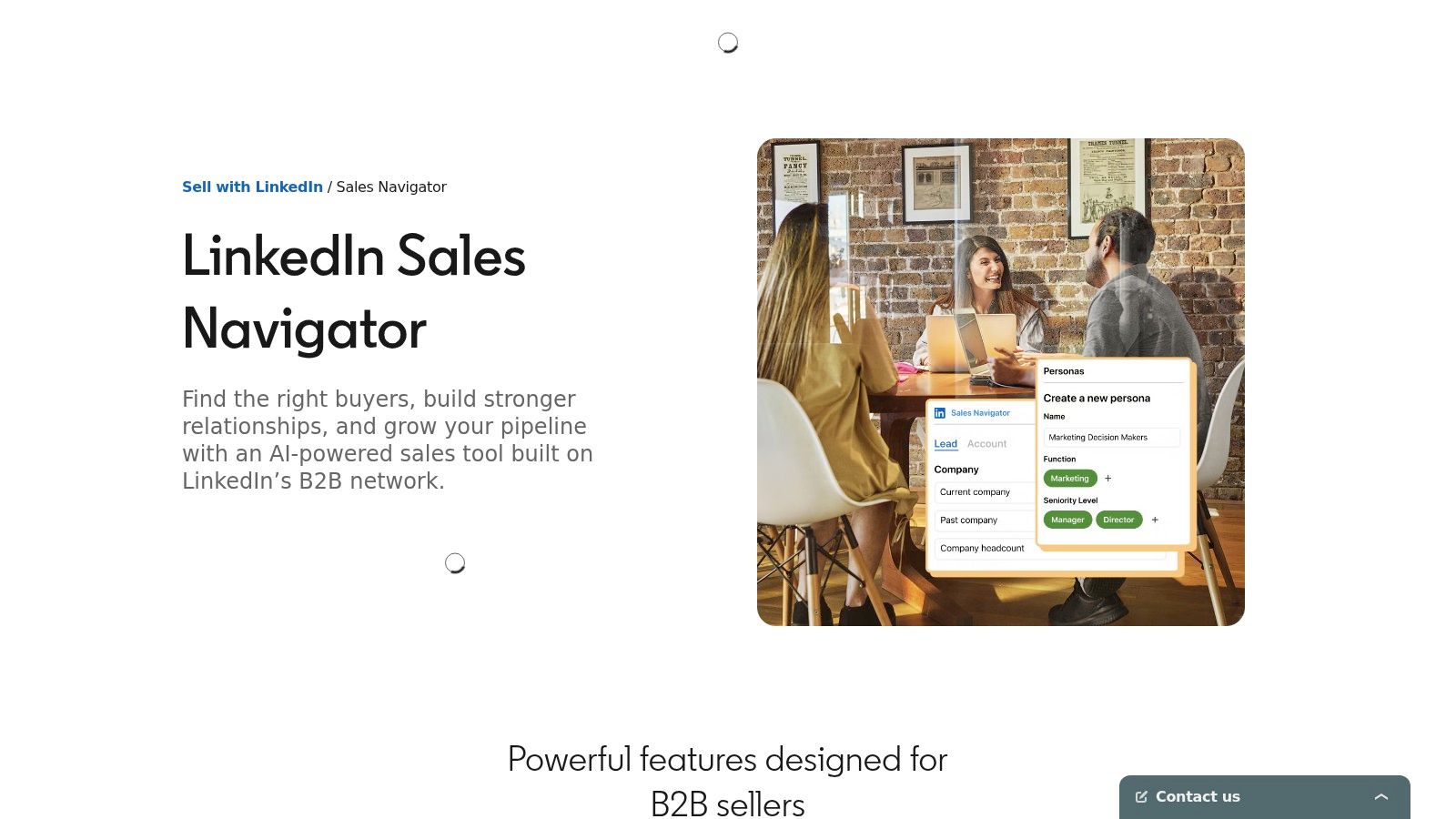
LinkedIn Sales Navigator is the baseline choice when your buyers are active on LinkedIn and your main problem is finding the right people. Its advanced lead and account search, saved lists, alerts, buyer activity signals, job-change notifications, account maps, InMail, and CRM connections give sellers a structured way to monitor prospects instead of relying on a normal LinkedIn feed.
The native data is the product's main advantage. You can filter by role, company, geography, and other account attributes, then save the results and return when something changes. For a founder selling into a defined B2B market, that often creates a cleaner prospecting habit than collecting names from random posts.
Where it earns its seat
Sales Navigator works best as the research and signal layer behind a human-led motion. It helps you identify relevant accounts, notice role changes, see activity, and decide when a message might have context. It doesn't write a thoughtful point of view for you, and it won't fix a weak offer or a generic outreach sequence.
A useful operating pattern is to pair saved account lists with a weekly review. Look for a new role, a public post about a relevant problem, an event interaction, or a change at the company. Then record the reason for contact before sending anything. Founders who skip that step often turn an excellent prospecting database into another source of untargeted messages.
For a practical LinkedIn workflow, see these LinkedIn lead generation campaign ideas. Sales Navigator remains poorly suited to founders whose customers primarily gather in niche communities outside LinkedIn, or who only need lightweight relationship notes rather than advanced account research. Seat costs can also become difficult for small teams, and InMail performance varies by audience and market.
You can review the current product and plan options on LinkedIn Sales Navigator. For a wider look at adjacent prospecting workflows, Yalc's Sales Navigator tools offers additional context, but current pricing and feature availability should be confirmed directly with LinkedIn.
3. Taplio for content-led engagement
Taplio is designed for the founder who knows LinkedIn should be part of the acquisition motion but keeps missing the publishing rhythm. It combines post ideation, AI writing, scheduling, analytics, engagement support, lead capture, and DM workflows in one LinkedIn-focused workspace.
Its best use is not replacing expertise. It's reducing the friction between having an idea and turning that idea into a post, then identifying people who engaged strongly enough to deserve a conversation. That connects content activity to prospecting more directly than a basic scheduler.
The useful handoff from post to pipeline
Taplio can help surface likers, commenters, and other engaged people so a founder can prioritize warm follow-up rather than starting every conversation cold. Smart replies and context-aware writing can also reduce the blank-page problem. The risk is predictable: if every reply sounds machine-generated or every engaged user receives a pitch, the content engine becomes a volume engine.
Use Taplio when the founder or seller has a real point of view to publish and wants help maintaining consistency. Don't expect it to create market insight from nothing. The strongest workflow still starts with customer calls, objections, product changes, and observed problems, then uses AI to shape those inputs for LinkedIn.
For a practical publishing routine, this guide to how to grow on LinkedIn is a useful companion. Taplio is poorly suited to teams that need Reddit, community listening, or broad cross-platform publishing, and its more advanced AI and engagement capabilities may require higher plans. See the current product details at Taplio.
4. LaGrowthMachine for LinkedIn sequencing
LaGrowthMachine replaces a scattered outbound routine with a sequence builder spanning LinkedIn, email, X, and calls. It can import people who liked or commented on LinkedIn content, attended events, or appeared in other prospect lists, then place them into structured campaigns with a unified inbox.
That makes it a stronger fit for a team with a defined outbound motion than for a founder who is still testing positioning. You can build branching workflows, add voice messages, move between channels, and send Slack alerts when a reply arrives. Integrations with Zapier, Make, Clay, and its API make it easier to connect the sequence to a wider revenue workflow.
Strong orchestration, heavier operations
The benefit is consistency. A prospect doesn't disappear because a seller forgot whether the last touch happened on LinkedIn or email. The cost is complexity. Custom sequences need thoughtful entry rules, suppression logic, reply handling, and ownership, or the tool helps a team send the wrong message more efficiently.
LaGrowthMachine is poorly suited to solo founders who only need occasional, high-context relationship building. It's also a poor choice if no one owns list quality and campaign maintenance. The platform can centralize activity, but it can't decide whether a prospect belongs in the campaign or whether the message earns a response.
See LaGrowthMachine for the current workflow and integration details. Before adopting it, define the single motion you want to standardize, such as engaging event participants or following up with people who interacted with a specific topic. Avoid launching every available channel at once.
5. Expandi for managed LinkedIn automation
Expandi focuses on cloud-based LinkedIn automation with controls such as randomized limits, account warm-up, dedicated country IP options, and campaign types that help teams run rules-based outreach. It suits operators who prefer managed infrastructure over browser scripts and want guardrails around repetitive actions.
The attraction is predictability. A team can configure campaigns, set limits, and create a repeatable process across multiple seats. Those controls may reduce operational mistakes, but they don't remove the underlying platform-policy risk. Expandi isn't an official LinkedIn product, so account restrictions and reputation problems remain possible if targeting, volume, or messaging quality are poor.
Guardrails don't replace judgment
Use Expandi for narrow, well-defined campaigns with conservative settings and clear stop conditions. Monitor connection quality, replies, negative responses, and account health. Stop a campaign when the audience fit is wrong, even if the technical settings appear safe.
For founders learning the difference between useful automation and indiscriminate volume, this overview of AI outreach automation provides relevant operating context. Expandi is poorly suited to a founder who wants organic content and relationship management without automation risk. It's also a weak fit for teams that can't review campaigns regularly or don't have a clear response process once contacts reply.
Visit Expandi to verify current safety controls, trial terms, IP options, and plan limits. Treat its automation as an execution layer, not as a prospecting strategy.
6. Meet Alfred for lightweight multichannel outreach
Meet Alfred combines LinkedIn, email, and X sequences with a shared inbox, campaign automation, templates, team permissions, analytics, and light CRM functionality. For a small team, its appeal is straightforward: you can cover several channels without assembling a large collection of specialist tools.
The platform is most useful when two or three people need shared visibility into campaigns and replies. A founder can create the motion, a teammate can monitor the inbox, and the team can keep templates and permissions in one workspace. Annual billing is positioned as more budget-friendly than monthly billing, although the current commercial terms should be checked before purchase.
A starter system, not a full revenue database
Meet Alfred is poorly suited to teams that need deep CRM objects, advanced forecasting, or extensive Salesforce functionality without moving to higher tiers. It also isn't ideal for a solo operator who only wants to nurture existing relationships. The multichannel breadth is helpful, but breadth can become noise if the team hasn't chosen a primary audience and message.
Start with one audience, one campaign type, and one reply owner. Review the inbox for message quality before expanding. A sequence that reaches several channels but produces generic conversations will create more cleanup than pipeline.
Check the current plans and capabilities at Meet Alfred. Compare the total cost of annual versus monthly billing, then include the time required to maintain lists, handle replies, and remove contacts who shouldn't receive more outreach.
7. LeadDelta for relationship CRM
LeadDelta is the quietest tool in this list, and that is its point. It turns a LinkedIn connection network into a workable relationship database with tags, notes, reminders, custom feeds, list views, and task management. It can also add enrichment through credits and seat-level options.
This workflow matters because many founders already know potential customers, partners, investors, and former colleagues but have no reliable way to remember the context. LeadDelta helps answer practical questions: Who did I speak with last quarter? Which connections work in the target market? Who should I check in with after a product launch?
Better for reactivation than cold scale
LeadDelta is poorly suited to teams looking for high-volume sequencing or a complete outbound automation system. It doesn't replace Sales Navigator for broad prospect research, and it doesn't provide the same campaign engine as LaGrowthMachine. Its value appears when the team has a network worth working and wants to build a habit of thoughtful follow-up.
Keep notes specific. Record the problem discussed, the last meaningful interaction, and a natural reason to reconnect. Generic tags such as “important” won't help much when the list grows. Custom feeds can then surface relevant accounts or people without requiring another round of manual searching.
See LeadDelta for its current connection sync, enrichment, and task features. It is a strong fit for solo operators and relationship-led founders, but less suitable for sales organizations that need formal pipeline stages, broad team reporting, or automated multichannel campaigns.
8. Oktopost for enterprise advocacy
Oktopost combines publishing, listening, analytics, employee advocacy, approval flows, CRM connections, marketing automation integrations, asset management, and governance. It replaces a fragmented enterprise process in which marketing prepares content, employees search for something to share, sales distributes material manually, and leadership struggles to connect engagement with revenue.
The employee advocacy layer is the differentiator. Teams can provide approved content, suggested copy, governance controls, and participation mechanisms while still allowing sellers and subject-matter experts to share through their own professional presence. Salesforce data synchronization and revenue-oriented reporting help connect activity to broader B2B programs.
Governance is the product
Oktopost is poorly suited to a founder or small team that needs to find prospects and start conversations this week. Its custom, quote-based positioning and enterprise setup can be excessive when one person is responsible for strategy, content, selling, and measurement.
It makes more sense when a company has many contributors, regulated messaging requirements, formal approval workflows, and a clear need to measure advocacy alongside publishing and listening. Before requesting a quote, define who owns content approvals, what employees can edit, which channels require review, and how influenced revenue will be recorded.
Explore Oktopost for current enterprise capabilities. Don't buy it because employee advocacy sounds strategically mature. Buy it when governance and measurement have become operational constraints.
9. EveryoneSocial for sustained employee advocacy
EveryoneSocial focuses on helping employees and subject-matter experts share curated content across LinkedIn and other channels. Its workflow includes content feeds, suggested copy, scheduling, integrations with Slack, Teams, and Outlook, analytics, compliance, archiving, and program enablement.
The tool is useful when participation is the bottleneck. Marketing can prepare a stream of relevant material, while sellers and executives receive a simpler way to discover, adapt, and share it. That differs from a personal-brand tool such as Taplio, which starts with an individual creator's content workflow.
Participation needs an operating owner
EveryoneSocial is poorly suited to a small team where every employee already communicates directly with customers and no one needs centralized advocacy. It is also not the right tool for discovering high-intent conversations or managing a founder's personal prospect list.
The risk in advocacy programs is passive distribution. Employees may share approved posts without adding a personal perspective, producing reach without meaningful discussion. A better program gives contributors useful context, clear audience guidance, and room to add expertise instead of turning everyone into a copy-and-paste channel.
Pricing isn't published in the provided product information, and commercial structures have changed over time, so confirm the current model directly with EveryoneSocial. Evaluate it against participation quality, active contributors, useful conversations, and pipeline influence rather than the number of shares alone.
10. Seismic LiveSocial for enablement-led selling
Seismic LiveSocial is the social-selling capability inside Seismic's broader enablement cloud. It distributes approved content to sellers, suggests posts and comment starters, supports scheduling, connects with LinkedIn and CRM systems, and links social activity with wider enablement workflows.
Its natural buyer is a large sales organization that already invests in Seismic or needs enterprise-grade governance. The platform helps sales leaders create a controlled path from enablement content to public seller activity, while privacy, compliance, and approval controls support regulated environments.
A poor standalone purchase for founders
Seismic LiveSocial is poorly suited to solo founders, indie hackers, and early-stage teams that need to discover prospects or test messaging quickly. It generally requires a broader Seismic relationship, has no public pricing in the supplied information, and is positioned around enterprise enablement rather than lightweight experimentation.
It becomes more relevant when marketing owns a large content library, enablement leaders need consistent distribution, and sales managers want social activity connected to existing systems such as Salesforce or HubSpot. Even then, approved content shouldn't eliminate seller judgment. Buyers respond to useful context, not just polished corporate language.
Review the current capability set at Seismic LiveSocial. Ask for a workflow demonstration using your approval rules, seller roles, reporting needs, and existing CRM rather than accepting a generic platform tour.
Top 10 Social Selling Tools: Feature Comparison
| Product | Core features / USP ✨ | Experience / Quality ★ | Target audience 👥 | Price & Value 💰 |
|---|---|---|---|---|
| Bazzly 🏆 | 24/7 Reddit monitoring; AI replies & one‑click DMs; aged accounts + smart upvotes; SEO/AI placement ✨ | ★★★★★, hands‑off, fast support | 👥 Founders, indie hackers, small B2B teams | 💰 ~$199/mo (170 credits), credit‑based; verify promo pricing |
| LinkedIn Sales Navigator | Advanced lead/account search, alerts, CRM integrations, InMail ✨ | ★★★★, native LinkedIn data | 👥 Sales teams, account execs | 💰 Seat‑based subscriptions (varies by tier) |
| Taplio | AI post ideation & writing, scheduling, analytics, DM workflows ✨ | ★★★★, content → pipeline | 👥 Founders, personal‑brand builders | 💰 Mid‑tier plans; some AI features tier‑gated |
| LaGrowthMachine (LGM) | Multichannel sequences (LinkedIn, email, X), unified inbox, integrations ✨ | ★★★★, powerful sequencing | 👥 Growth teams, SDRs | 💰 Mid‑tier (feature/credit limits apply) |
| Expandi | Cloud LinkedIn automation with IP safety, warm‑up, limit randomization ✨ | ★★★, safety‑focused automation | 👥 Teams needing scalable outreach | 💰 Subscription; volume/annual discounts |
| Meet Alfred | LinkedIn + email + X sequences, team inbox, templates, shared workflows ✨ | ★★★, budget starter for teams | 👥 Small teams, indie founders | 💰 Budget‑friendly on annual plans |
| LeadDelta | Lightweight LinkedIn CRM: sync, tags, notes, custom feeds ✨ | ★★★, simple, low learning curve | 👥 Solo operators, relationship managers | 💰 Low‑mid subscription; seat/enrichment add‑ons |
| Oktopost | B2B publishing, listening, analytics + employee advocacy & CRM sync ✨ | ★★★★, enterprise ROI & governance | 👥 Large B2B marketing & advocacy programs | 💰 Enterprise pricing (quote required) |
| EveryoneSocial | Curated feeds, suggested copy, scheduling, compliance & analytics ✨ | ★★★★, proven at scale | 👥 Enterprises, regulated industries | 💰 Enterprise (contact sales) |
| Seismic LiveSocial | Enablement‑linked social sharing, AI suggestions, compliance & integrations ✨ | ★★★★, mature enablement posture | 👥 Large sales & enablement orgs | 💰 Enterprise (typically bundled with Seismic) |
Matching Social Selling Tools to Your Team's Next 90 Days
Choose the channel before choosing the software. If your buyers describe urgent problems in Reddit communities, Bazzly is closer to the source of intent than a LinkedIn scheduler. If your market is concentrated in identifiable B2B accounts, Sales Navigator gives you the research foundation. If your founder already has useful expertise but publishes inconsistently, Taplio addresses the content bottleneck. If the team has a defined sequence and multiple people handling replies, LaGrowthMachine or Meet Alfred can create shared execution.
Don't start with a stack. Start with one broken workflow and one owner.
A practical first step is to write down what currently happens from signal to conversation. Does someone notice a relevant post, qualify the person, record the context, send a response, and schedule the next action? Or does the process stop after a like, a saved link, or a note in a spreadsheet? Tools such as LeadDelta help when the missing piece is relationship memory. Expandi helps with rules-based LinkedIn execution, but its automation risk means it should follow a tested message and audience, not precede them.
Enterprise tools solve a different problem. Oktopost, EveryoneSocial, and Seismic LiveSocial make sense when many sellers need approved content, participation workflows, compliance, and reporting. They won't help much if the company still hasn't decided which buyer it serves or what useful point of view it can contribute. Governance is valuable after the operating model exists, not as a substitute for one.
Measurement should extend beyond activity. LinkedIn reported that more than 70% of sales professionals used social selling tools in 2016, while 90% of top-performing sellers used social media in their sales process, based on the historical findings summarized by Moneyzine's sales statistics overview. That adoption doesn't prove that any particular tool will produce revenue. It does show why activity volume is a weak differentiator. The same research associated stronger social-selling practices with 45% more sales opportunities and a 51% greater likelihood of reaching quota for leaders in Social Selling Index research. Treat those figures as historical evidence about practice maturity, not as a promise from a vendor.
Set a baseline before your trial. Track positive replies per 100 targeted contacts, qualified conversations, booked calls, hours spent, and opportunities created. Add assisted conversions and branded-search or direct-traffic influence where possible, because a public conversation may happen well before a buyer fills out a form. HubSpot's 2025 sales data, summarized by inBeat's social-selling statistics analysis, reported that 42% of sales professionals identified social media as their highest-performing cold-outreach channel, compared with 26% for email and 23% for phone. That makes social worth testing, but not worth measuring only through impressions or reply counts.
A 30-day test should have a fixed audience, a fixed owner, a defined approval process, and a clear stop rule. Confirm current pricing directly with each vendor before budgeting, especially for credit-based products such as Bazzly and quote-only platforms such as Oktopost, EveryoneSocial, and Seismic LiveSocial. Also check whether automation is permitted under the platform's current rules and whether your team can respond quickly enough to conversations it creates.
The reported execution gap is significant: 98% of surveyed B2B enterprises recognized value in social selling, while 49% had developed formal social-selling programs, according to the data summarized by Twicsy's social-selling statistics coverage. The lesson for a small team isn't to imitate an enterprise stack. It's to formalize the smallest repeatable workflow that connects a buying signal to a useful response and a recorded outcome.
Choose one channel, one tool, and one measurable job for the next 90 days. Add a second tool only when the first workflow is producing conversations that your current process cannot handle.
Bazzly helps founders and small teams monitor Reddit conversations, identify high-intent threads, draft context-aware replies, and reach promising prospects through personalized DMs, with autopilot or manual control. If Reddit is where your buyers ask for solutions, visit Bazzly to test a repeatable community-led acquisition workflow without adding another spreadsheet to your week.